
Because Windows Defender protects your laptop. Enterprise security protects your business.

Defender is excellent for personal use. For a business handling client data, payroll, and operations, “good enough” becomes expensive the day something goes wrong.
1. One Protects a Device. The Other Protects the Entire Business.
Defender is designed for one PC. Enterprise security is designed for your entire fleet.
With Defender, you find out about a threat when you look at that PC.
With Enterprise, you find out before your CEO does.
You get:
- A Single Pane of Glass: Health, patch status, and threats for every laptop and server — in one dashboard.
- Policy at Scale: Block USB drives, enforce disk encryption, and push firewall rules to 100 devices in one click. No desk-to-desk.
- Incident Storyline: Defender says “threat found.” Enterprise says “User opened a phishing attachment 3 days ago, here is how it moved laterally, and here is exactly what to contain.”
2. Modern Attacks Don’t Look Like Viruses Anymore
Free antivirus asks: “Do I recognize this file?”
Modern attacks ask: “Can I use your legitimate tools against you?”
Ransomware today doesn’t always drop a .exe. It uses PowerShell, Excel macros, and remote management tools to encrypt files at 2 AM.
Enterprise security with EDR (Endpoint Detection and Response) watches behavior:
“Why is a process suddenly encrypting 10,000 files and deleting backups?”
It then automatically kills the process, isolates the device from the network, rolls back the files, and sends an alert to IT. Defender alone will often just quarantine one file — after the damage is done.
3. Auditors, Clients, and Insurers Don’t Accept “We Have Defender”
If you store any customer data, you will eventually be asked:
“What is your EDR solution? Do you have 24/7 monitoring? Can you produce 90 days of centralized logs?”
For ISO 27001, SOC 2, PDPA compliance, and cyber insurance, “Windows Defender” is not an acceptable answer. A claim can be denied for not having enterprise-grade controls.
Enterprise security gives you audit-ready reports, compliance mapping, and a vendor who shares liability and provides forensic support.
4. You’re Not Buying Antivirus. You’re Buying a Security Stack.
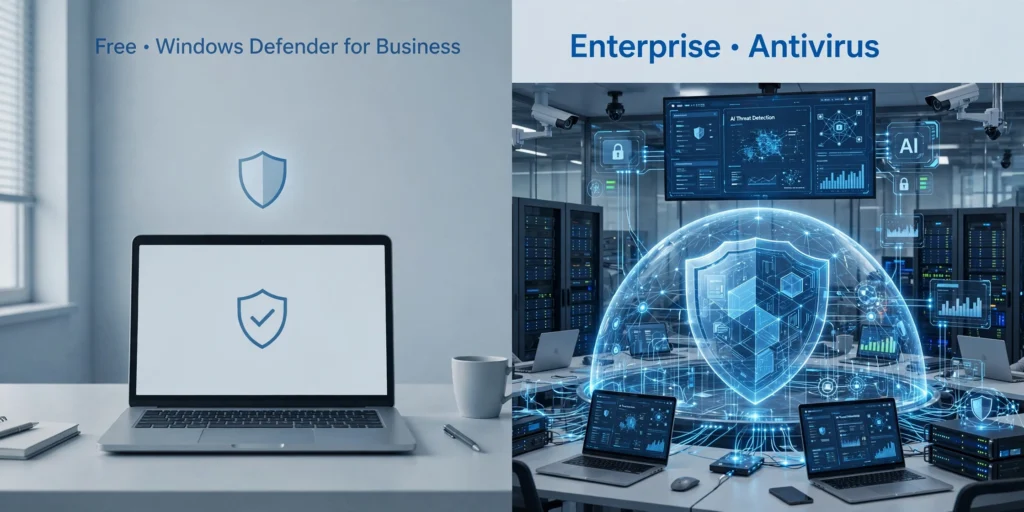
What is marketed as “Enterprise AV” is now 5 products in 1:
- Next-Gen Antivirus + Anti-Ransomware with AI and rollback
- Device & Firewall Control across the fleet
- Email & Phishing Protection that catches CEO fraud before it hits the inbox
- Application Control to stop unapproved software
- Managed Threat Hunting — a team that will actually respond at 3 AM on your behalf
Defender gives you number one. Businesses need all five.
5. The Hidden Cost of Free
Free has no invoice, but it has a time cost.
Without central management, your IT team spends hours manually checking devices, cleaning infections one by one, and building reports for management.
A quick calculation:
4 hours/week on endpoint issues x 52 weeks = 208 hours/year lost.
An enterprise suite for 20 users is typically less than the cost of one minor IT incident, let alone the cost of a week of downtime.
| Windows Defender (Built-in) | Enterprise Security (EDR) | |
| Best For | Personal use, single device | Business with 10+ devices and customer data |
| Visibility | Only on that device | Full fleet visibility + alerts to IT |
| If Breached | Manual investigation | Auto-containment, rollback, and forensic report |
| Compliance | No reporting | Audit-ready reports for clients & insurers |
| Support | Microsoft forums | Dedicated incident response team |
The Bottom Line
Think of it like fire safety.
Windows Defender is the fire extinguisher that comes with your building. It’s essential and you should have it.
Enterprise security is the full system: smoke detectors, sprinklers, central monitoring station, and the fire brigade on call.
You wouldn’t protect a warehouse full of inventory with just one extinguisher.
Free = Your IT guy (or you, even though you constantly open excel files using Word) spends 4 hours per week fixing one-off infections, and manually spending previous work hours to fix it.
If your business can afford to be offline for a week and explain a data leak to clients, Defender is sufficient.
If it can’t, that’s what you’re paying for — continuity, visibility, and someone to call when it matters.