
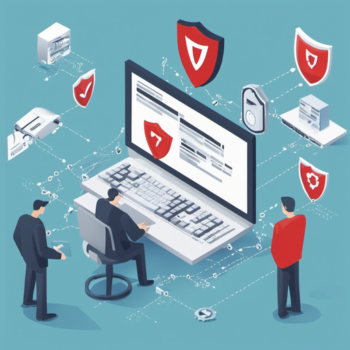
What is Zero Day Threat?

A zero-day threat refers to a security vulnerability or software flaw that is discovered by cyber attackers before the software vendor becomes aware of it. As a result, there is no patch or fix available to defend against the threat, making it particularly dangerous.

Zero-day threat protection is a cybersecurity strategy designed to defend against threats that exploit previously unknown vulnerabilities in software or hardware. These vulnerabilities are called “zero-day vulnerabilities” because they are discovered by attackers before the software vendor is aware of them, leaving zero days for the vendor to develop and release a patch.

Zero-day threat protection typically involves a combination of proactive and reactive measures to detect and mitigate zero-day attacks. Here’s how it generally works:

  1. Behavior-based Analysis: One approach to zero-day threat protection is behavior-based analysis. Security solutions monitor the behavior of files, applications, and network traffic in real-time. If an unknown file exhibits suspicious or malicious behavior, the security system may quarantine or block it to prevent potential harm.
  2. Heuristics and Machine Learning: Security tools use heuristics and machine learning algorithms to identify patterns and behaviors associated with malware and exploits. They compare files and code against known threat profiles to identify potential zero-day threats.
  3. Sandboxing: Some security solutions use sandboxing to analyze potentially malicious files or code in a controlled environment. Sandboxing isolates suspicious files from the main system, allowing security experts to observe their behavior without risking the host system’s security.
  4. Threat Intelligence Sharing: Companies and organizations often share threat intelligence and information about zero-day threats with each other and security vendors. This collaboration helps identify and respond to new threats more effectively.
  5. Rapid Patching and Updates: When zero-day vulnerabilities are discovered, software vendors work swiftly to develop patches and updates to fix the vulnerabilities. Users are urged to apply these patches as soon as they become available to protect their systems.
  6. Security Policies and Access Controls: Implementing robust security policies and access controls can limit the attack surface and reduce the impact of zero-day threats. By restricting unnecessary privileges and controlling access to critical systems, organizations can minimize the potential damage.
  7. User Education and Awareness: Educating users about the risks of social engineering attacks, phishing emails, and malicious downloads can help prevent zero-day exploits. Encouraging users to be cautious and vigilant can reduce the likelihood of successful attacks.

While zero-day threat protection strategies can significantly reduce the risk of zero-day attacks, no security measure is foolproof. The cybersecurity landscape is constantly evolving, and attackers are continually developing new techniques. A multi-layered security approach that includes regular updates, strong access controls, user education, and threat intelligence sharing is crucial for a comprehensive defense against zero-day threats.


Check File for Virus

Suspicious about a file? Check file for virus using Doctor Web’s updated virus database.

 Review
 Scan

Worry about insufficient IT security? Protect your corporate network with Dr Web Security Suite now.

Identifying Phishing and Mitigating It

Most phish attempts start from obtaining users’ passwords then proceed to downloading of payloads so that the end systems can be controlled remotely.

Attacker subsequently gathers info to propagate infection, disables security and attempts privilege escalation (eg. dumping payloads to vulnerabilities within the network). It may also includes encrypting of critical data (typical ransomware attack) then requesting payment to decrypt them.

The result of a successful phishing attack is usually targetted at causing financial losses but its impact entails far more damage.

Impersonating colleagues

One scenario may be a junior staff receiving instruction from their manager claiming to be overseas and instructing his/her staff to urgently remit money to a bank account due to a last minute agreement/purchase.

In this scenario, the manager account is compromised and the pepertrator is monitoring the account and send the phishing email using similar signature and writing style to trick the recipient to pay an unknown party.

The attempt would be for a amount that is large enough but yet not trigger a phone call to the manager.

Impersonating suppliers

Another scenario would be, when a customer’s email account is compromised, it is monitored for correspondence between the compromised account and his/her suppliers.

The perpetrator then registers a misspelled domain (1 as L or I, I as L) that is similar to domain of one of the suppliers that has bigger transactions with the customer.

Subsequently, a phishing email is then sent to the compromised account claiming to be from the supplier using the mispelled domain registered. The phisher the impersonate as the supplier, requesting any upcoming payments to be sent to a different bank account (under a different name) citing issues with their bank.

If successful, both customer and supplier will suffer financial loss (one from not getting paid and the other from paying to an unknown party).

Mitigation

In above scenarios, enabling MFA – where logins are challenged with a code sent to registered mobile number or via authenticator, may alleviate the issue.

MFA may be also be configured to be required only when users are signing in from unfamiliar IP addresses outside of their corporate network.

It would be ideal to prevent getting compromised from the start by implementing firewall web filters preventing users from reaching a phish site.

There are also phishing simulation (Defender for Business for Microsoft 365) that will simulate attacks to train users detect emails that looks like phishing attempts. (For users that fail the simulation, they may be requested to go for a friendly coffee session – aka retraining on how to detect phishing.)

IT department may also geo-target the authentications to be allowed only from within a fixed number of geolocations and monitor audit logs for malicious attempts and react accordingly.

Phishing attempts usually start with a forged email with a link for users to authenticate and then initiates an install of malware to the system.

Phishing/malware links can be blocked/prevented using a mix of firewall web-filtering and application layer control.

Don’t have MFA/2FA? Synchronization of emails taking too long? – contact us to sign up for Office 365.

If you require reviewing or securing your network, feel free to contact us. We will be happy to assist you.

A Microsoft-based phish simulation tool is available with Microsoft Defender Plan 2. It is ideal for administrators that would like to run simulations prior to conducting training to users.

Microsoft Cloud Services

New setup – getting it right the first time

Don’t lose emails when your PC crashes! Use Microsoft Exchange Online instead of cheaper email providers which give very limited features and space.

We provide Microsoft 365 for Business Standard as an all-in-one platform for your business needs. New startup email system covering also full Office desktop apps and cloud storage solution.

The subscription covers mailbox, Office apps, share, data protection and collaboration as follows.

Email services                                                –              Microsoft Exchange mailboxes integrated with Teams and calendar. Mail retention, deleted item recovery, distribution list and shared mailboxes.
Email and desktop apps                               –              included up to 5 installs for Office applications like Outlook, Word, Excel, Powerpoint & Access.
Endpoint Backup to cloud                             –              OneDrive for Business up to 1TB cloud storage
Files and folder sharing                                 –              Microsoft Sharepoint site, document co-authoring, file versioning and rights management.
Meetings and remote management             –               Teams for Business


Subscription options:

Exchange Online – Email mailbox only @ ~$6.00/user monthly
Microsoft 365 Apps – Desktop apps only @ ~$12.00/user monthly
Microsoft 365 Apps Business Std – Email mailbox, desktop apps, Sharepoint Online + Teams – @ $18/00/user monthly.

Don’t lose emails when your PC crashes, use Microsoft Exchange and sync your data to cloud.

Scale up/down when needed with just minimum of just 1 license.


We support on-prem or cloud hosted Exchange server,
provide email setup full email support for whole process,
provide POP3/IMAP/G-Suite to Office 365 migration using 3rd party tools like Bittitan,
Corporate IT desktop/network support service,
Domain registration/transfer, DNS setup, client migration,
IT support service (Onsite),
Remote IT setup/support – QuickAssist/Anydesk/RDP.
Managed wireless system with Ubiquiti + Unifi Network (VM/cloud) + Guest Portal

Get EV Multi-domain SSL if your company requires wildcard SAN on subdomains using a single cert.